
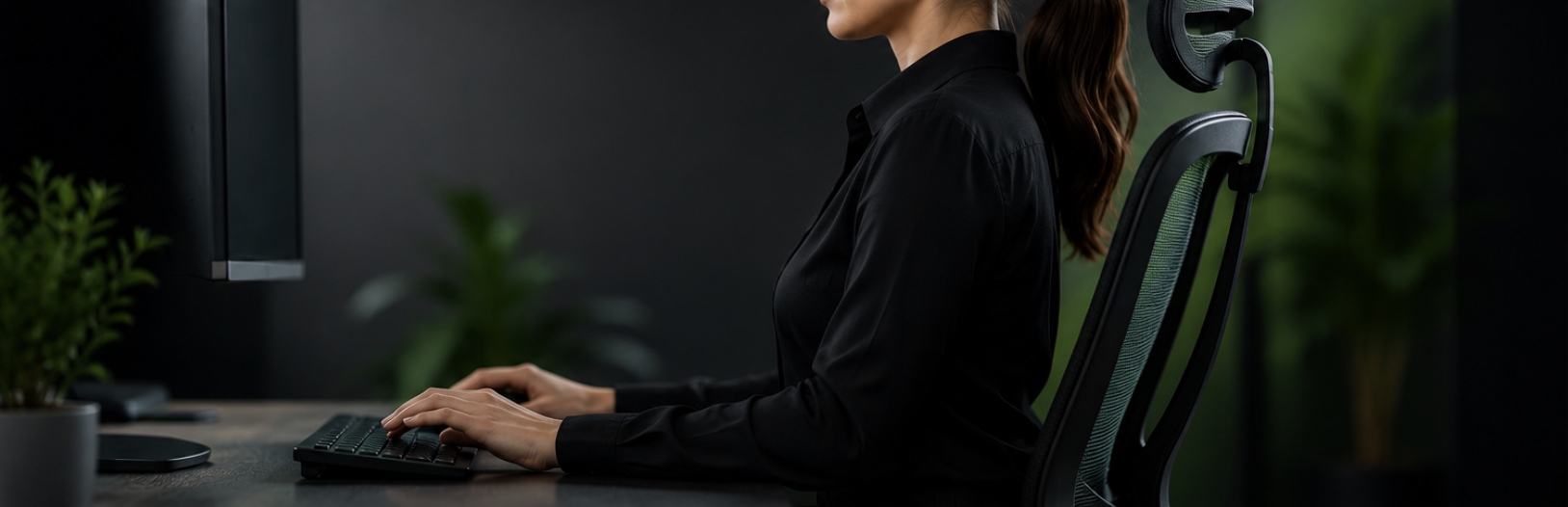
Is Sitting the New Smoking? Why Your Workstation Setup Matters More Than Ever
Many of us spend the majority of our working day sitting behind a desk, focused on screens, answering
emails, attending meetings, and completing administrative tasks. While office work may seem relatively low risk compared to construction, forestry, or manufacturing, poor workstation setup and prolonged sitting can have significant impacts on our health and wellbeing.
You've probably heard the phrase: "Sitting is the new smoking."
While sitting itself isn't inherently dangerous, the comparison highlights the growing body of evidence
linking prolonged sedentary behaviour with a range of health issues, including cardiovascular disease,
obesity, type 2 diabetes, musculoskeletal disorders, and reduced life expectancy. The good news? Small changes can make a significant difference.
Why Workstation Ergonomics Matters
Ergonomics is simply the science of fitting the job to the worker. A well-designed workstation allows you to work comfortably, efficiently, and safely while reducing unnecessary strain on your body.
Poor workstation setup can contribute to:
1. Neck and shoulder pain
2. Lower back discomfort
3. Headaches and eye strain
4. Wrist and forearm injuries
5. Fatigue and reduced concentration
6. Repetitive strain injuries (RSIs)
Many of these issues develop gradually over time and can become chronic if left unaddressed.
Five Key Workstation Setup Tips...
1. Position Your Screen Correctly
Your monitor should be: Directly in front of you Approximately an arm's length away
Positioned so the top of the screen is at, or slightly below, eye level This helps reduce neck strain and encourages a neutral posture.
2. Support Your Back
Your chair should support the natural curve of your lower back. When seated: Feet should rest flat on the floor Knees should be approximately level with your hips Back should be supported by the chair, not by your muscles If your feet don't comfortably reach the floor, consider using a footrest.
3. Keep Arms and Wrists Neutral
When typing: Elbows should be close to your body, Forearms should be roughly parallel to the floor
Wrists should remain straight, not bent upwards or sideways, An appropriately positioned keyboard and mouse can significantly reduce strain on the wrists, forearms, and shoulders.
4. Move More, Sit Less
Even the perfect workstation cannot compensate for prolonged sitting. Aim to: Stand up every 30–60 minutes, Take short movement breaks, Walk while making phone calls, Use stairs where practical
Stretch regularly throughout the day, Remember, the best posture is often the next posture.
5. Look After Your Eyes
The 20-20-20 rule is simple and effective: Every 20 minutes, look at something approximately 20 feet (6 metres) away for 20 seconds. This helps reduce digital eye strain and gives your eyes a chance to refocus. The Benefits Extend Beyond Comfort. An effective workstation setup doesn't just reduce aches and pains.
Research consistently shows that workers who are comfortable and well-supported are more likely to
experience:
1. Improved concentration
2. Increased productivity
3. Reduced fatigue
4. Better mood and wellbeing
5. Lower risk of musculoskeletal injury
6. Improved long-term health outcomes
For employers, this can also mean reduced absenteeism, fewer injury claims, and a more engaged
workforce.
Small Changes Create Big Results
You don't need an expensive ergonomic chair or a fully adjustable desk to improve your workstation.
Often, simple adjustments to chair height, screen position, keyboard placement, and movement habits can make a noticeable difference.
If you're experiencing discomfort at work, don't ignore it. Early intervention is far easier than managing a
chronic injury later on.
At Samson Safety Solutions, we regularly assist businesses with workstation assessments and practical
ergonomic improvements that help workers stay healthy, comfortable, and productive.
Think Safe, Keep Safe.
If your team spends significant time working at a desk, talk to Samson Safety Solutions about workplace
ergonomics assessments and practical workstation improvement strategies.



Book a Review Today
Interested in finding out more? Contact us today and discover how Samson Safety can help improve your health & safety processes.
Free Health & Safety Review
Review includes an overview of your current systems and suggestions for improvement.
Book a review today
Interested in finding out more? Contact us today and discover how Samson Safety can help improve your health & safety processes.
"…protect our business and employees…"
"Took all the stress out of setting up our Health & Safety system. Highly skilled adviser Henry from Samson Safety Solutions helped us to make informed choices to protect our business and employees."
McKay Linehaul Limited